
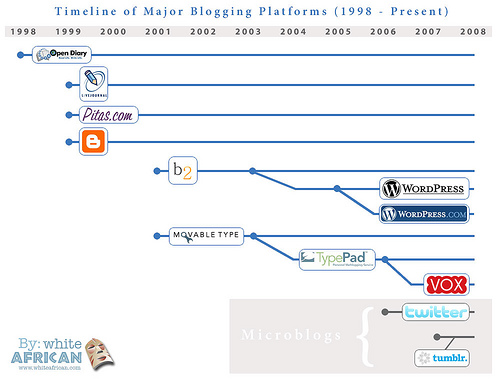
 As I talk to clients, colleagues and friends across the industry, I continue to hear a number of questions about getting started and choosing the right blog platform. With an increasing number of options from a blogging platform perspective, it’s important to do your due diligence on the front end so you choose the tool that’s right for you–and your corporate culture.
There’s more to consider than you might think. Ease of use, cost and technical capabilities all come into play (not to mention your company’s corporate culture).
So, I thought I’d attempt to address some of the common questions I hear from clients and colleagues about choosing the tool that’s best for you and your company:
 I’m looking to start our first corporate blog and I don’t have much technical support.
Google’s Blogger might be a wise choice. Widely known as the beginners blog platform, Blogger makes it easy to get started–and to maintain a blog. With easy drag-and-drop widgets, you really don’t need to know ANY code to get a Blogger blog started. And, since Blogger is owned by Google, you know A) it’s search-engine friendly, and B) it’s not going away anytime soon. For the less-than-tech savvy marketer/PR looking to start a corporate blog, this may be your best option.
 I want to start a blog that looks and feels more like a Web site.
Consider SquareSpace. For one, SquareSpace offers a number of pre-fabricated themes so building a blog that looks and feels like a Web site is fairly painless (although admittedly there aren’t that many options when it comes to themes). Plus, the tools within SquareSpace make it simple and intuitive–similar to Blogger with just a little more sophistication. Plus, you have on-site analytics (no need to bring in Google Analytics unless you want to) and SquareSpace offers automatic updates to its platform so you don’t have to worry each time an upgrade is released. What’s more, even if you do have problems, since SquareSpace’s user base is a bit smaller, you’ll have easier access to the customer support team.
 I want to rebuild our Web site using a blog as a content management system.
WordPress might be the right choice. I used this exact strategy with a non-profit client earlier this year. As a content management system, WordPress can make sense. It’s relatively easy to use (with a bit of training for newbies) and it plays well with a ever-increasing number of plug-ins (8,000 and growing). Plus, with mobile app tools now in play, you can now publish remotely, too. Basically, you can get much of the same functionality (and look/feel) you’d get from a Web platform for much less cost.
 I want to start a blog that’s simple and easy to use because I’ll have employees and management posting directly to it.
What about Posterous? It’s a wonderful beginner blog–so easy, in fact, that all you need to do is email you posts to a common email address. You can post photos, text and videos–with one click. What’s more, Posterous also allows you to auto-post to a number of social outposts across the Web–everything from Twitter to FlickR to YouTube (not that you want to blast content out, but it’s a nice option to have in many situations). I think Posterous works particularly well for beginners (and as a group blog) because of the single email address you use to post. Just give that address to your blogging team, give them some simple coaching on how to blog effectively and voila, you have a blog. No huge training needed. Not a ton of management on your end. And, employees/management will find it tremendously easy since it’s all centered around email–a platform they’re familiar with.
 I need a blog that will allow our team to post remotely and from mobile devices.
Although Posterous is a solid option here, don’t forget about Tumblr. A clean, simple look and a mobile app that allows you to post remotely. In fact, Tumblr also allows users to post via text message, email, AOL Instant Messenger and by phone. Wow. And, thanks to the platforms popular “reblog” feature, your content can be shared by your community seamlessly and easily with one simple click. However, it’s important to keep in mind that Tumblr isn’t bff’s with Google. Not necessarily a reason not to use the tool–but definitely something to keep in mind.
Note: Photo courtesy of WhiteAfrican via FlickR Creative Commons.

0 Comments